Services & ResourcesMoody Medical Library

Study Spaces

The library provides spaces for your various studying needs:

  • Second Floor

    Study at our public computers or use the tables and sofas.

    Private study carrels equipped with electrical outlets are also available in a designated quiet area.

  • Third Floor

    The entire third floor of the Library is a designated quiet area.

    Tables, sofas, and carrels are available.

  • Fourth Floor

    Carrels are available in the Book Stacks.

  • Group Study Rooms

    Located on the third and fourth floors of the Library, the group study rooms are equipped with dry erase boards. (Markers are available for check out on the 2nd floor.) These rooms are available for 2–4 students to reserve for up to four hours at a time.

    Reserve a study room at the Library  

    Other Locations:

    • Group study rooms are also available by reservation in the Health Education Center (HEC). Study rooms can be used by 2–12 people for up to four hours at a time.
    • Minimum group size varies depending on room size: Rooms of 12 must have minimum of 4; rooms of 8 or 9 must have a minimum of 3; and rooms of 6 must have a minimum of 2.

    Reserve a study room at the HEC  

Copy & Print Services

Borrow & Renew

UTMB faculty, staff, and students may borrow physical books and journals from the library.

  • Checkout Times

    • Books (Main Collection, 4th floor) = 30 days
    • Books (Reserve and Reserve Core, 2nd floor) = 2 hours

    Late fines are $1 per day per item.

  • Online Renewal Instructions

    • Log in with your UTMB username and password.
    • Click on "View All Loans" to see what you have checked out.
    • Click "Renew All" or choose the "Renew" option next to individual items.

    NOTE: Renewals may be denied if you have outstanding fines or if another person has requested the item.

    Renew Books Online 

  • Course Reserves

    Reserve materials chosen by faculty (for students in their classes) may be placed on reserve in the library, on the 2nd floor at the Information Desk.

Reciprocal Borrowing Privileges

Power Up

Your need to keep your devices powered up and ready to use is a priority at the Moody Medical Library.

Forgot your phone charger? Need to plug in several devices at one table? Found a comfy chair, but it's too far from an outlet?

Borrow cords, power strips, and mobile power stations from the Access Services Desk!

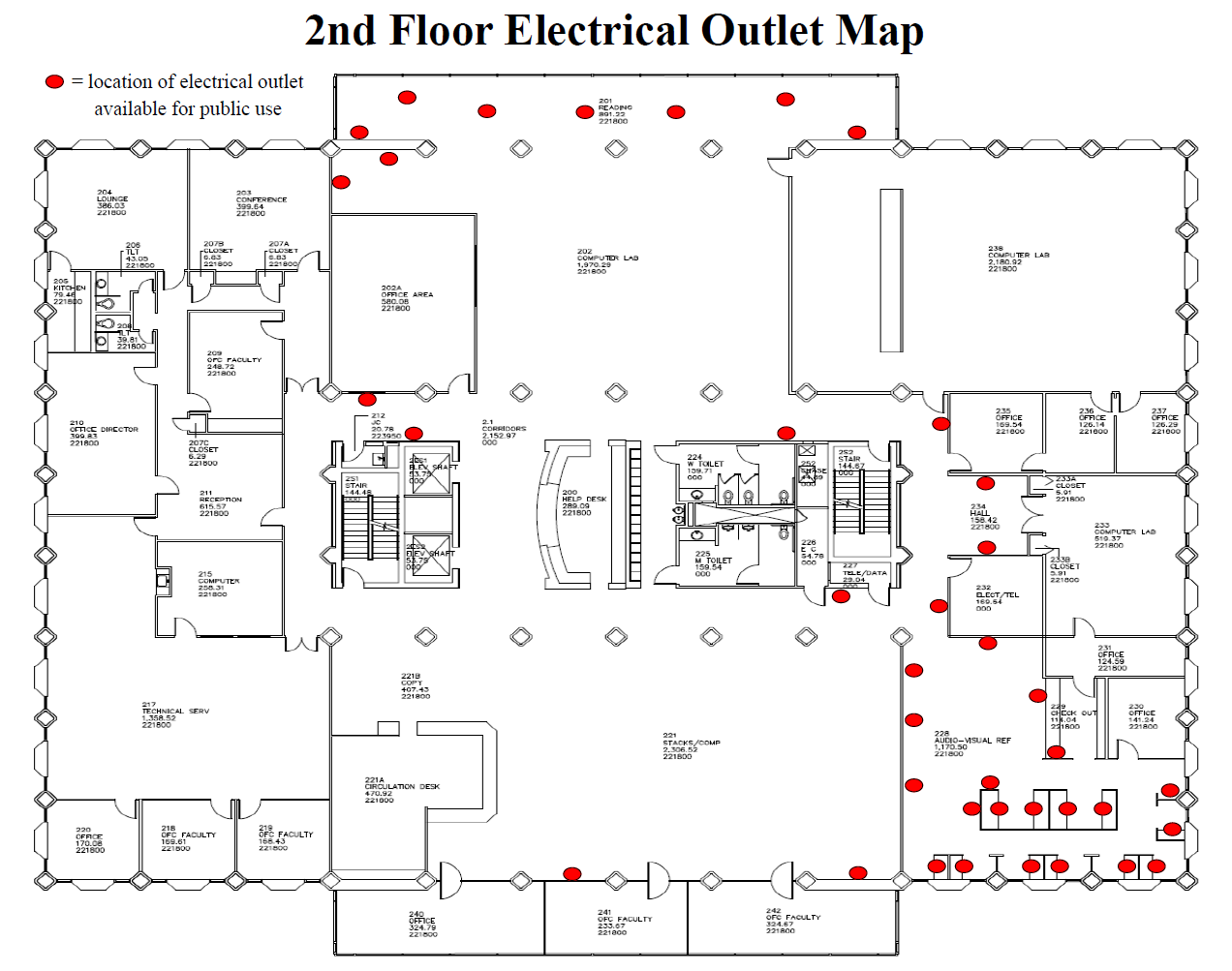
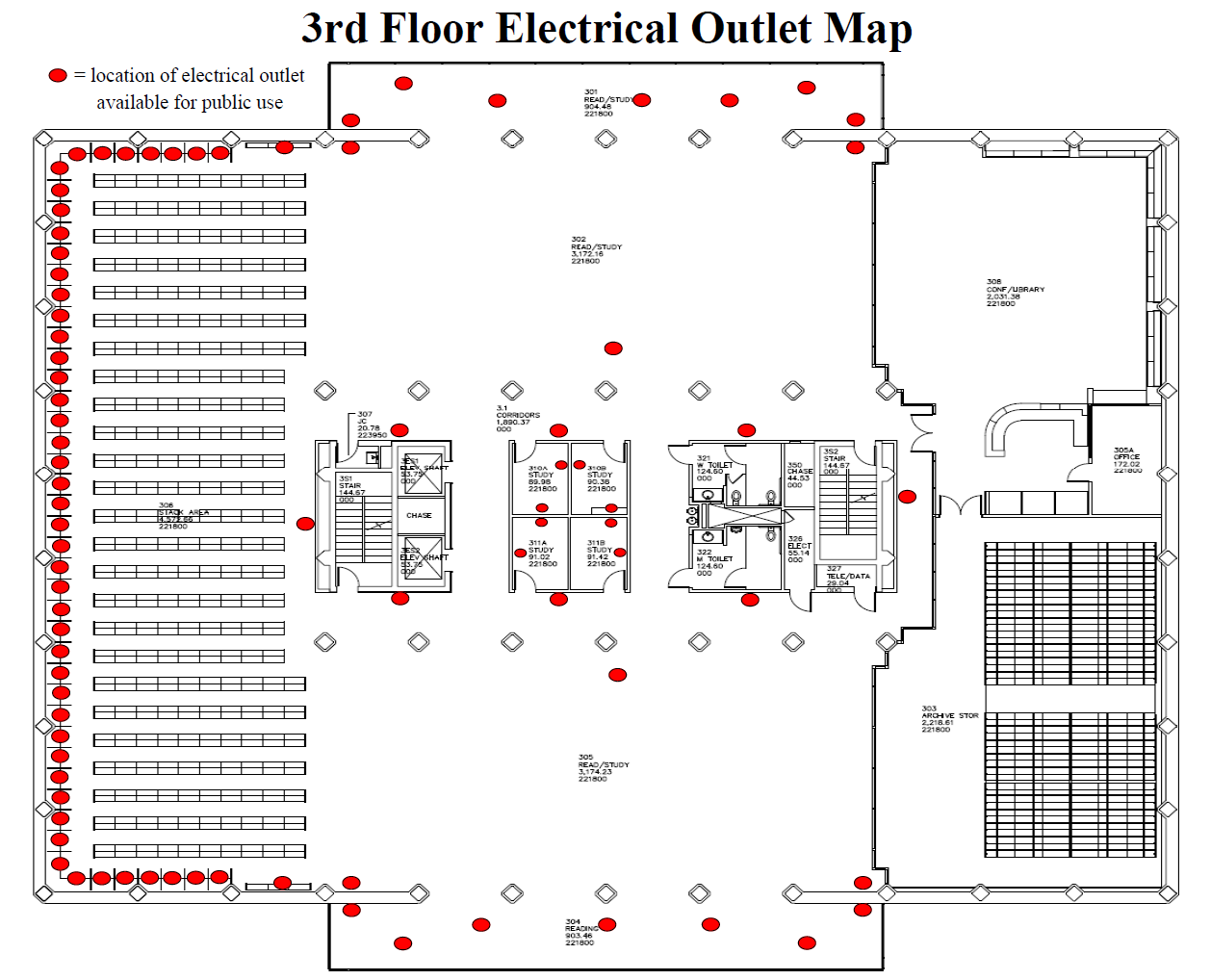
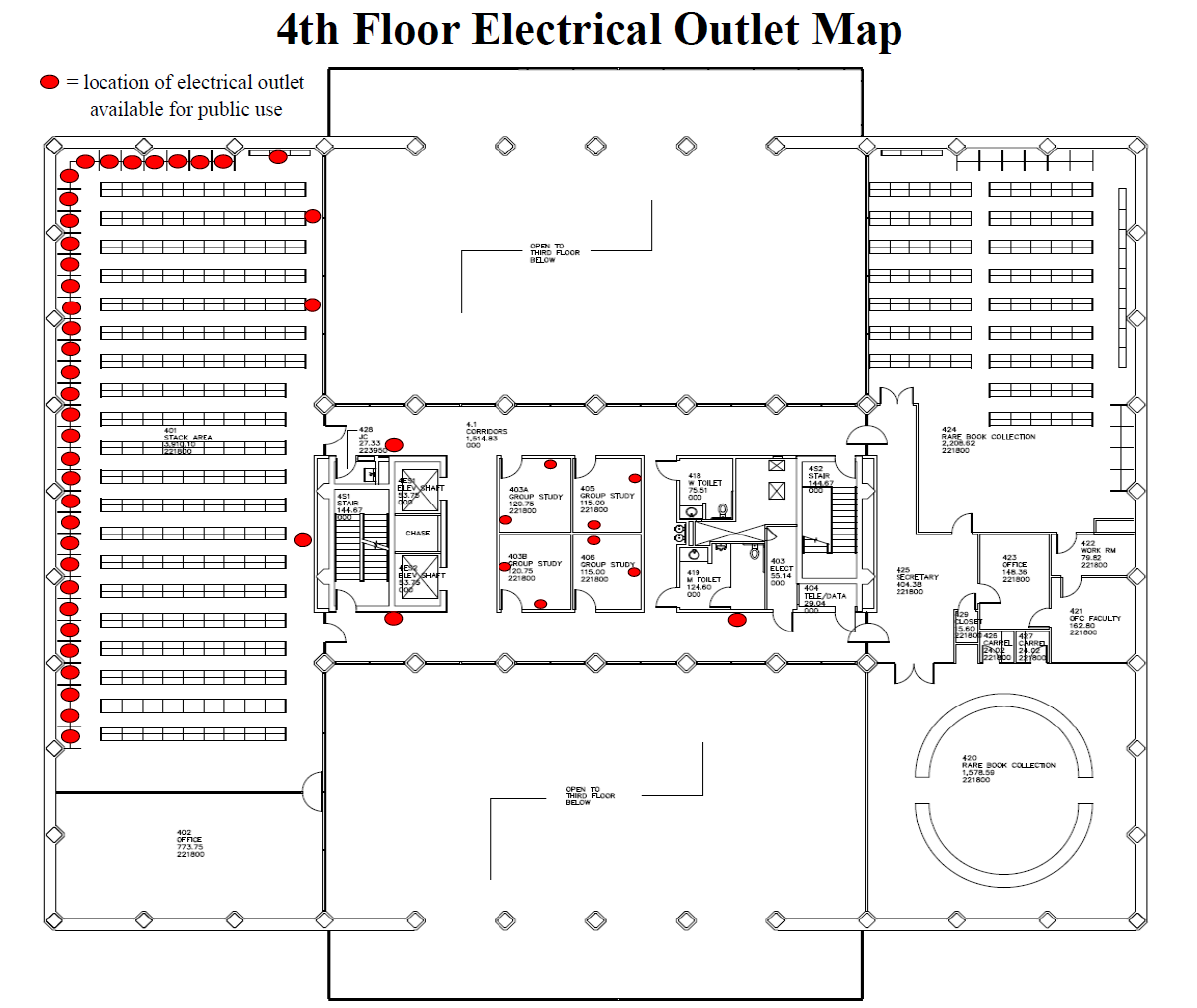
Looking for a place to plug in?

If you're looking for a place to plug in, check out our outlet maps. Click on each map image to see a larger size, or download the full size PDF map for more details.

Off Campus Support

The library subscribes to a variety of online resources on behalf of students, faculty, and staff. In most cases, users must provide a UTMB login for full text or app access.

Distance Education and the Library 

  • Connect to articles from database search results

    Find It at UTMB

    Find It @ UTMB icons appear in the search results of library databases. This icon helps connect you to electronic articles subscribed to by the library. If the article does not open automatically, you will get a window with one or more of the following options:

    • View Online connects directly to the full-text article
    • Search Inside allows you to do a keyword search within the journal or book
    • Request It allows you to request articles the library does not own or to request scanned copies from the library's print collection

    Always connect to databases (CINAHL, Medline, etc.) from the library's home page to ensure that the Find It @ UTMB button is available.

  • Connect to articles through library search tools

    Search Library Resources

    • Type your search term (article title, DOI, etc.) in the search box on the library home page
    • Find the needed article in the search results and click on the title or the "Available Online" link to access full text

    Search Library Resources 

  • BrowZine Journal Search

    • Type the journal title in the search box on the library home page
    • Change the search type to Search Journals and click Search
    • Find the needed journal in the search results and click on the title to see available issues
    • Click on the volume/issue/article title to access full text
    • If the journal is not available from BrowZine, you will be redirected to the Library Catalog record
    • If the library does not have access at all, the BrowZine results will say "No matches". There will be a link to try searching the Library Catalog directly. Use Request It to ask for articles in journals not in the library's collection.

    Go to BrowZine 

  • Connecting Off-Campus

    Start from the Moody Medical Library website.

    When you are off campus, the first time a library's resource is used, you will be prompted to log in with your UTMB email/username and password. The system should remember your login information for subsequent resources as long as you do not close your browser.

Request Document Delivery

You may request articles from our library or articles/books not available at our library. This service is free but limited to UTMB faculty, staff, and students. Unfortunately, we are unable to obtain course books on interlibrary loan.

How to Request Document Delivery

Alumni Resources

Contact Us